
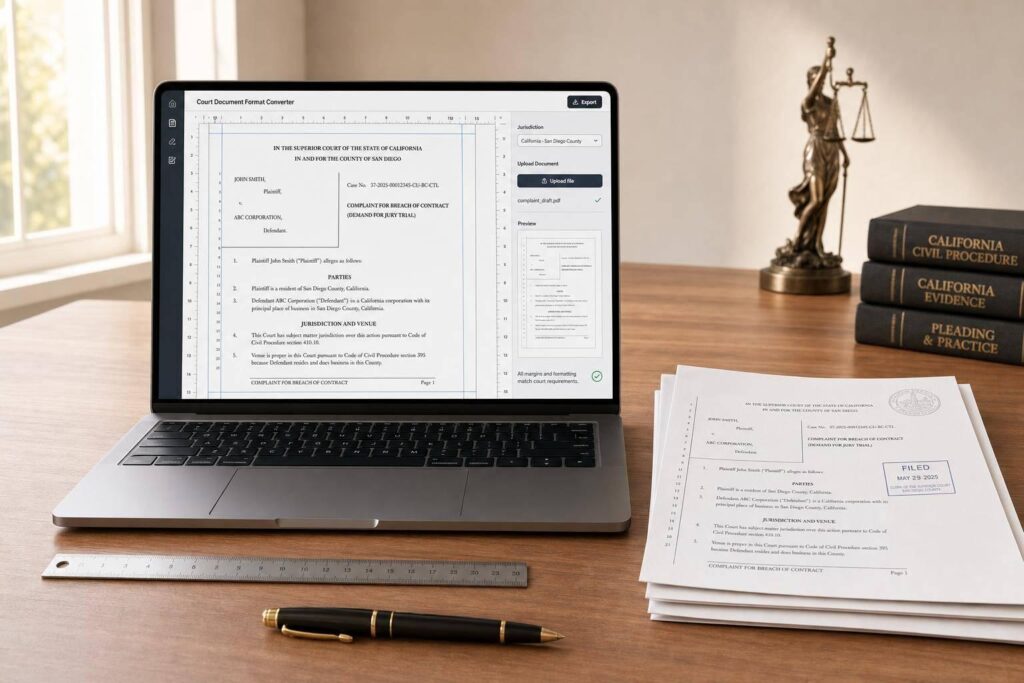
Court Document Format Converter
Format legal documents with less guesswork
Getting a filing ready for court often means more than polishing the language. Different courts may require specific margins, captions, headings, spacing, and section order, and even small formatting mistakes can slow things down. A Court Document Format Converter helps simplify that process by turning uploaded files or pasted text into a layout that better matches the selected jurisdiction or court type.
Built for practical legal formatting needs
Whether you’re preparing a federal filing or adapting a document to a state-specific template, this tool helps standardize presentation without forcing you to rebuild the document from scratch. It supports common file handling, offers a preview before download, and flags missing data or unsupported formats early so you can fix issues before moving forward.
A faster way to create court-ready documents
For legal professionals, support staff, and self-represented filers, a reliable legal formatting tool can save time and reduce avoidable errors. This Court Document Format Converter is especially useful when the same content needs to be adapted for different courts. Instead of manually adjusting layout details line by line, you can apply structured court templates and review the final result with more confidence.
FAQs
What kinds of court formats does this tool support?
The tool is designed to support multiple court formatting templates, including federal and state-specific layouts where formatting rules differ. Depending on the template selected, it can adjust page margins, headings, captions, spacing, and section structure to better match court expectations. Because every court may update its rules over time, users should still review the final document before filing.
Can I upload Word or PDF files, or do I need to paste text?
You can do either. If you already have a draft, you can upload a supported file such as a Word document or PDF. If you’re starting from notes or working with plain text, you can paste the content directly into the tool. Basic error checking helps catch unsupported file types or missing content before processing begins.
Does this tool guarantee that my filing will be accepted by the court?
No formatting tool should promise court acceptance, because filing rules can depend on more than layout alone. What this tool does is help you align your document with common court formatting requirements using predefined templates and structured rules. It improves consistency and saves time, but the final review should always be done by the filer, attorney, or legal professional responsible for submission.