
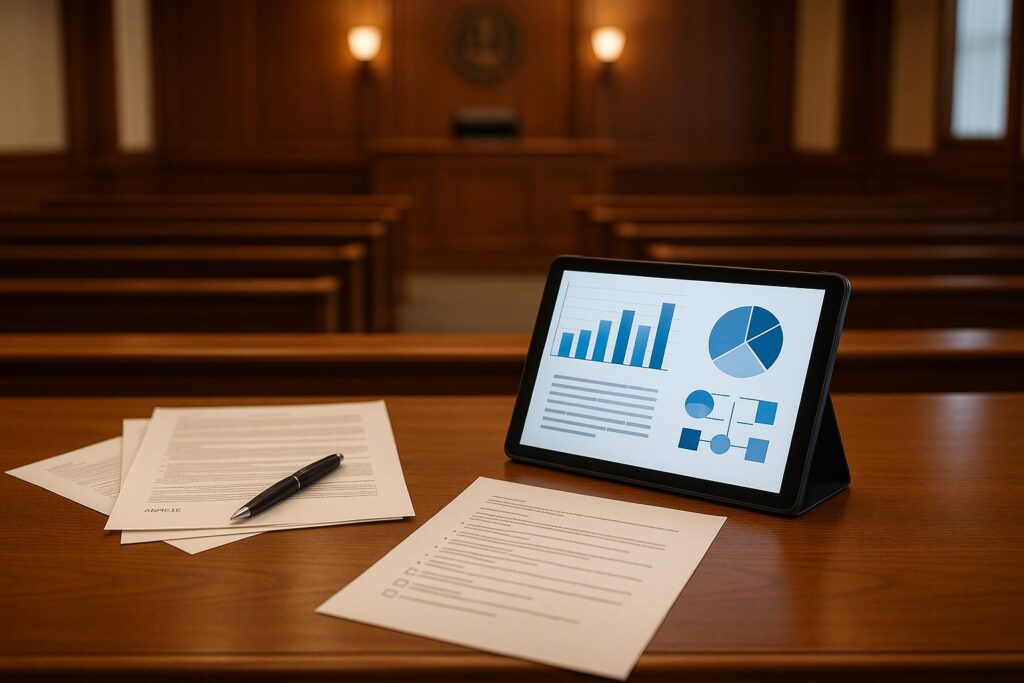
Visual aids in court — such as charts, timelines, photographs, and diagrams — can make complex evidence easier for judges and juries to understand. To use them effectively, you need to prepare them in advance, get them admitted as exhibits, and present them clearly during testimony. This checklist covers everything self-represented litigants need to know about using visual aids at trial.
Visual aids can simplify complex arguments and strengthen your case in court. They help judges and jurors understand key details quickly, especially when you’re representing yourself. But their effectiveness depends on preparation, compliance with legal standards, and clear presentation.
Key Takeaways:
- Choose the Right Visuals: Use timelines, charts, maps, or photos depending on your case type (e.g., timelines for contract disputes, charts for financial cases).
- Ensure Clarity: Use readable fonts (24+ points), high-contrast colors, and simple designs. Avoid clutter.
- Check Court Rules: Confirm admissibility, accuracy, and relevance. Follow local court requirements and meet exhibit deadlines.
- Test Technology: Verify courtroom equipment compatibility and bring backups (digital and printed).
- Coordinate with Witnesses: Practice using visuals during testimony to ensure smooth integration.
Visual aids are tools to clarify evidence – not evidence themselves. Proper preparation and strategic use can make your case more persuasive.
Trial Preparation CLE Part 3: Tech Tools, Visual Exhibits & Modern Jury Persuasion
Preparing Visual Aids for Court
Creating effective visual aids for court requires careful planning to ensure they support and enhance your arguments. Start by identifying the main points you want to convey, then determine which type of visual best complements each one.
Selecting the Right Type of Visual Aids
The type of visual aid you choose will depend on the nature of your case. For example:
When I fought the answering service fraud case, I brought electronic call records printed out and organized chronologically—and that single visual aid was worth a thousand words of testimony. The judge could see exactly when the calls came in, which company made them, and what happened next. Using visual aids isn’t fancy or complicated; it’s just smart strategy for making sure the judge sees what you see.
- Contract disputes: Timelines are ideal for showing when agreements were signed, modified, or breached, helping judges follow the sequence of events and understand complex business relationships.
- Financial cases: Charts and graphs can simplify dense financial data, turning pages of bank statements into clear visuals that reveal trends or discrepancies.
- Property disputes: Maps, surveys, or architectural drawings are often necessary to illustrate boundaries or structural issues.
- Personal injury cases: Use clear photographs and diagrams to highlight injuries or accident scenes.
When selecting visuals, consider the complexity of the information. Bar charts work well for simple comparisons, while scatter plots or line graphs are better for illustrating relationships between multiple variables. High-resolution photographs from various angles can provide a more comprehensive view.
For video evidence, edit the footage to highlight only the relevant moments – courts don’t have time to sift through hours of video to find a few critical seconds. In document-heavy cases, enlarging key sections or creating side-by-side comparisons can help emphasize important differences. For technical topics, simplified diagrams can make complex processes easier to understand.
Making Visual Aids Clear and Relevant
In court, clarity is more important than creativity. Use a font size of at least 24 points to ensure visibility across the courtroom. Color choices also play a big role – high-contrast combinations like black text on a white background or white text on a dark blue background ensure readability under different lighting conditions.
Keep designs clean and focused. Each visual should highlight one main idea or piece of evidence. If you need to present multiple related concepts, create separate visuals rather than overcrowding a single one. Use descriptive but concise labels and titles. For example, instead of "Chart #3", go with something like "Monthly Revenue Decline: January-June 2024."
Double-check all numbers, dates, and facts before finalizing your visuals. Even a minor error can damage your credibility and give opposing counsel an opportunity to challenge your evidence. Scale and proportion should accurately reflect reality – don’t manipulate graphs to exaggerate or downplay differences.
Annotations should be minimal but effective. Use arrows, circles, or highlights to draw attention to critical elements. The design should naturally guide the viewer’s eye to the most important information. Consistency in formatting across all visuals not only looks professional but also makes it easier for the court to follow your presentation. Once your visuals are polished, test your materials and technology to avoid any surprises.
Testing Technology and Materials
The success of your presentation often hinges on equipment compatibility. Contact the court clerk at least a week in advance to learn about the available technology. Some courts may have modern projectors and document cameras, while others might rely on outdated systems – or none at all.
File formats are another critical consideration. PDFs are generally the most reliable across different systems, while PowerPoint files may not display properly on unfamiliar equipment. Save images in common formats like JPEG or PNG, and use MP4 for video files to ensure they run smoothly.
Test your visuals under conditions similar to those in the courtroom. Check for color accuracy and ensure all text and images are easily visible. Prepare multiple format options, including digital files and printed backups on sturdy poster board or foam core, which can be displayed on an easel if needed.
Organize your materials in the order you’ll present them, using clear labels or tabs for quick access. Bring essential extras like extension cords, adapters, and backup batteries for any electronic devices you plan to use.
Finally, rehearse your presentation with the actual materials and equipment you’ll use in court. This not only helps you spot potential issues but also builds your confidence in handling the technical aspects seamlessly during the hearing.
Making Sure Visual Aids Are Admissible
Once you’ve fine-tuned your visual aids, the next step is ensuring they meet legal and procedural standards. No matter how compelling your visuals are, they’re useless if a judge excludes them. Start by confirming that each visual complies with relevance and technical admissibility requirements.
Confirming Relevance and Accuracy
Visual aids must be directly tied to the facts you’re trying to establish or refute. For instance, a timeline detailing contract negotiations could be crucial in a breach of contract case. On the other hand, a chart of overall financial performance might not be relevant unless it directly connects to the dispute at hand.
Under Federal Rule of Evidence 107, the value of a visual aid must outweigh potential risks like prejudice, confusion, or unnecessary delay. It’s important to remember that visual aids are not evidence themselves – they’re tools to clarify or illustrate the actual evidence. This distinction can impact how they’re treated during the trial and whether the jury can reference them during deliberations.
Accuracy is another critical factor. If you’re creating a diagram of an accident scene, for example, all details – like measurements, angles, and positions – must accurately reflect the actual conditions. Even small errors could lead to objections and jeopardize the aid’s admissibility.
Checking Local Court Rules
Admissibility standards can vary significantly between federal and state courts, and even among districts within the same state. Many courts require exhibit lists to be submitted well before trial, so it’s crucial to review local deadlines. Missing these deadlines could result in your visual aids being excluded.
Take California state courts as an example. Here, visual evidence must satisfy three key criteria: it must be relevant, authentic, and its probative value must outweigh any potential prejudicial effect. Different jurisdictions may have their own unique standards or additional requirements.
To avoid surprises, contact the court clerk’s office to obtain the local rules for your courthouse. Some courts also have standing orders from individual judges that impose extra conditions, so it’s wise to verify all applicable practices.
Sharing Visual Aids with Opposing Counsel
Meeting local standards isn’t enough – you also need to disclose your visual aids to opposing counsel in a timely manner. Pre-trial disclosure isn’t just a good practice; it’s often required under discovery rules. A proposed amendment to Federal Rule of Evidence 611 would formalize this expectation, requiring attorneys to notify opposing counsel before using illustrative aids at trial and provide time for objections.
Discovery procedures generally require you to list exhibits before trial. Make sure to number your exhibits according to the court’s guidelines and bring physical copies of all visual aids to share with opposing counsel, even if you plan to present them digitally. This transparency helps minimize objections based on surprise.
For visual aids that might spark controversy or require more explanation, consider filing motions in limine. These motions allow the court to decide on admissibility issues before trial, reducing the risk of delays or objections during your presentation. Whenever possible, ensure your visual aids are entered into the trial record.
The turning point came when I stopped thinking of visual aids as something fancy and started thinking of them as tools to teach the judge. In my foreclosure case, I had to show the court that the verification affidavit contained dates that didn’t make sense—backward dates that proved the document was sloppy or rushed. Instead of just talking about it, I printed out the affidavit with those dates highlighted and laid it on the judge’s desk. The visual proof was so clear that the judge immediately understood the irregularity. That’s when I learned that any pro se litigant can do this—you don’t need fancy graphics or technology. You just need to make the evidence visible and easy to follow.
Presenting Visual Aids Effectively in Court
Visual aids can be a game-changer in court, but only if used strategically. When done right, they simplify complex evidence and make your arguments stick. Done poorly, they risk confusing the jury.
Using Visual Aids in Key Trial Stages
Opening statements are your chance to set the stage. This is where you can introduce broad, foundational visuals like a timeline to outline the sequence of events or a simple diagram to establish the physical context. These visuals should provide a clear framework for jurors to follow, but save the detailed exhibits for later when they can be backed up with evidence.
During examinations, visuals can bring testimony to life. For example, a chart can make financial damages easier to grasp, turning dry numbers into a clear story. Or, asking a witness to mark locations on a diagram or highlight details in a photograph can help jurors visualize key moments and make your case more memorable.
Closing arguments are your final shot to tie everything together. Revisit visuals from your opening – like that timeline – but now fill them with the evidence you’ve presented. Use summary charts or diagrams to reinforce your main points, ensuring jurors leave with a clear, cohesive understanding of your argument.
The key is timing and seamless integration – visuals should complement your narrative and work smoothly with witness testimony.
Visual aids are one of the most powerful tools you have as a pro se litigant because they let you control how the evidence is presented. When a judge can see it, they can’t argue they didn’t understand it. Take the time to prepare them right, and you’ll be amazed at how much more persuasive your case becomes.
Working with Witnesses
Collaboration with witnesses is critical. Practice sessions are non-negotiable. Witnesses must feel comfortable interacting with visuals, whether it’s pointing to a diagram or explaining a chart. A hesitant or confused witness can weaken both their credibility and the impact of your visual.
For expert witnesses, simplify the technical details. They might prepare a complex structural analysis or financial breakdown, but they need to explain it in plain language. Jurors aren’t experts, so walking them through visuals step-by-step is essential to making the information stick.
For lay witnesses, keep it straightforward. Whether they’re identifying a signature on a document or pointing to a location on a map, make sure they can do it confidently. A misstep with a simple visual can undermine their testimony and distract from your argument.
Avoiding Overuse or Confusion
Every visual aid should have a clear purpose. If a visual doesn’t directly advance your case, leave it out. Overloading jurors with unnecessary visuals or excessive details can weaken your argument. Instead, focus on the essentials – key events, facts, or data that directly support your legal points.
Keep visuals clean and easy to understand. Avoid cluttered diagrams or slides packed with text. Use consistent colors, fonts, and formatting, and ensure text is large enough for jurors to read from a distance.
When it comes to courtroom visuals, less is more. A few well-crafted exhibits can make a stronger impact than a barrage of mediocre ones. Choose quality over quantity, and use visuals to drive home your main arguments with clarity and precision.
Don’t overcomplicate it. A poorly made visual aid will hurt your case more than help it, so keep it clean, clear, and directly tied to what you’re proving. When in doubt, a printed document with highlighter is better than a confusing chart.
Managing Courtroom Logistics
Once you’ve prepared your visual aids and ensured they meet admissibility standards, the next step is managing courtroom logistics. Even the most compelling visual aids can fall flat if technical issues or poor organization disrupt your presentation. A smooth logistical setup not only reinforces your credibility but also helps your case proceed without unnecessary hiccups.
Testing Courtroom Technology
Most courtrooms are equipped with tools for presenting both audio and visual materials, but it’s up to you to know how to operate the equipment effectively. Don’t rely on everything working perfectly on the day of your trial – test it in advance.
Plan a technology run-through at least a week before your court date. Many courtrooms provide features like video input boxes at attorney tables and podiums, document cameras, annotation screens, and systems for video or phone conferencing. Test your laptop’s compatibility with both HDMI and VGA inputs, which are commonly available at lecterns and counsel tables. Make sure to test every type of media you plan to present, whether it’s PowerPoint slides, video clips, audio files, or document camera displays.
Some courtrooms may have specific technical requirements. For instance, they might favor Windows-based laptops with HDMI outputs, and Apple devices sometimes pose reliability issues. If you’re using a Mac, test it rigorously and bring a Windows-based backup just in case.
Double-check that your visuals display correctly, ensuring colors are accurate and text is large enough for jurors to read easily. Practice switching between different types of media to avoid fumbling during your presentation.
Take note of any technical limitations you encounter. For example, some systems might introduce audio delays, distort colors, or struggle with certain file formats. By identifying these issues early, you can adjust your approach and avoid surprises.
Finally, after confirming the technology works, prepare reliable backups to safeguard against unexpected interruptions.
Preparing Backup Materials
Technology has a way of failing at the worst possible moments, so having backups is essential. Store duplicate digital copies of your visual aids on multiple platforms – your laptop, a USB drive, and cloud storage that you can access from your phone. Additionally, print out copies for key courtroom participants, such as the judge, opposing counsel, and court reporter, provided this aligns with local rules.
Ensure your digital files are editable and organized with clear layers, allowing for quick adjustments in case of technical glitches or objections.
Also, bring along essential extras like extension cords, HDMI/VGA adapters, and laptop chargers to cover any last-minute needs. These small preparations can make a big difference in keeping your presentation on track.
Using Support Tools and Resources
Creating visual aids that meet courtroom standards can feel like a daunting task, especially for self-represented litigants. Thankfully, modern tools and platforms now make this process much more manageable. These resources are designed to simplify the preparation of visual aids while ensuring they comply with legal requirements.
Using Case Management Platforms
Staying organized is a top priority when managing visual aids and other case materials. A comprehensive case management platform can help you keep track of exhibit deadlines, organize materials, and meet procedural requirements without overlooking critical details.
One standout option is Courtroom5, a platform created by Sonja Ebron. Tailored for individuals representing themselves in U.S. civil court cases, Courtroom5 offers AI-powered tools to streamline case management. It allows you to store and organize all your case files – including visual aids and exhibits – in one centralized location.
The platform also features automated legal guidance, which provides reminders for important deadlines and helps you understand jurisdiction-specific requirements for presenting exhibits. For self-represented litigants, this level of organization can mean the difference between a smooth courtroom experience and unnecessary stress.
Courtroom5 offers flexible pricing options:
- Start for $1: your first 100 credits plus permanent access to the member community.
- Pay as you go: buy credits when you need them and spend them on the tools your case calls for.
- Courtroom5 Max: a monthly plan with a larger credit allowance and a better per-credit rate.
These tools not only keep you organized but also enhance your ability to conduct thorough legal research and prepare effectively.
Accessing Legal Research and Professional Consultations
Ensuring your visual aids comply with evidence rules and local procedures often requires extensive legal research, which can be challenging without formal training.
Courtroom5’s legal research tools simplify this process by providing case law summaries and jurisdiction-specific guidelines. This feature is especially useful when dealing with complex exhibits like technical diagrams, financial charts, or digital evidence, which might face extra scrutiny in court.
The platform also offers professional consultation services, giving you access to expert advice when you’re unsure about the admissibility or effectiveness of a visual aid. This can be particularly helpful if you’re exploring innovative presentation techniques or handling sensitive evidence that requires careful preparation.
Additionally, Courtroom5 hosts monthly Q&A workshops and video training sessions, where legal professionals share best practices for presenting visual aids in court. These resources help level the playing field, giving self-represented litigants insights that might otherwise be out of reach.
Simplifying Exhibit Preparation
Gone are the days when creating polished visual aids required advanced design skills or expensive software. AI-powered tools now make it easier than ever to prepare courtroom-ready exhibits.
Courtroom5’s document assembly features guide you through the entire process, from selecting templates to ensuring compliance with local court formatting rules. Your starter credits cover standard exhibit formats, and you can buy more credits for the advanced tools that build sophisticated presentations. This flexibility allows you to choose the level of support that fits both your case’s complexity and your budget.
The platform also provides trial preparation resources, helping you organize your visual aids in the correct sequence and format them according to court specifications. This reduces the risk of technical objections and ensures your exhibits leave a strong impression on judges and juries.
Finally, Courtroom5’s community of self-represented litigants offers a space to share tips and experiences. Learning from others who’ve successfully navigated similar challenges can provide practical insights that go beyond formal legal guidance.
With these tools and resources, preparing impactful visual aids becomes a much more manageable task, even for those without a legal background.
Conclusion: Key Points for Using Visual Aids in Court
Visual aids can elevate your courtroom presentation when used effectively. The foundation of success lies in three essential elements: thorough preparation, strict compliance with admissibility rules, and a confident, well-executed delivery.
Start by ensuring every visual aid is precise, relevant, and admissible. These tools should directly reinforce your legal arguments, not just serve as flashy distractions. Double-check that your visuals are compatible with the courtroom’s technology and meet all procedural requirements to avoid any last-minute complications or evidence being excluded.
Admissibility rules are crucial to your case. Every visual must be relevant, accurate, and properly authenticated to meet the court’s standards. Pay close attention to your jurisdiction’s specific formatting and procedural guidelines, as even a minor oversight could derail weeks of preparation.
Clear, well-designed visuals can simplify complex information and support witness testimony. Use them strategically to emphasize key points without overwhelming the judge or jury. Coordinate with witnesses to ensure seamless integration of visuals into their testimony, and always have backup plans in case of technical issues. The goal is to make your case easier to understand, not to distract or confuse.
If you’re handling exhibits with limited resources, platforms like Courtroom5 can be a game-changer. Their AI-powered tools assist with case management, automate deadline tracking, and provide access to professional consultations. Features like document assembly and jurisdiction-specific guidance can save valuable time and help you avoid procedural missteps.
Visual aids are powerful tools for clarifying facts, highlighting evidence, and strengthening your case. With careful preparation and the right resources, you can present a persuasive argument that resonates with judges and juries alike.
Related Articles
- Top Pitfalls in Oral Arguments Analysis
- How to Respond to Objections in Court
- Pleading Standards: Twombly vs. Iqbal
FAQs
What should I consider when selecting visual aids for my legal case?
When choosing visual aids for a legal case, prioritize simplicity and purpose. Use visuals that break down complicated information into digestible pieces, steering clear of any elements that could sidetrack the judge or jury. The best visuals should enhance your case’s story, emphasize pivotal evidence, and fit seamlessly into the trial’s specific phase.
It’s also crucial to ensure your visuals are polished, straightforward, and meet courtroom standards for admissibility. They should align with your overall strategy and effectively convey your key arguments in a compelling way.
What steps should I take to ensure my visual aids are admissible in court?
To have your visual aids accepted in U.S. courts, they need to be relevant, accurate, and non-prejudicial. Their primary role is to clarify evidence or arguments without misleading or confusing the court.
Before using visual aids, check whether the court requires prior disclosure or approval. Ensure your materials are firmly based on the evidence already presented and steer clear of introducing unsupported claims. Pay attention to details like proper formatting, clear labeling, and a professional appearance, as these can make your presentation more effective while staying within court guidelines.
It’s also essential to familiarize yourself with the specific rules and procedures of the court handling your case since these can differ. If you’re navigating the legal process on your own, platforms such as Courtroom5 offer resources that can help you through each step.
How can I prepare and test courtroom technology to ensure my visual aids are presented effectively?
To make sure your visual aids run without a hitch during court proceedings, start by arranging a pre-trial session to test all the necessary equipment. This includes projectors, monitors, and audio systems. Double-check that everything is properly connected and working as it should.
It’s also smart to bring backup gear – extra cables, projectors, or screens – just in case something goes wrong. During your testing, pay attention to the clarity of your visuals, ensure the audio levels are appropriate, and confirm that your materials are compatible with the courtroom’s technology setup. These precautions will help you deliver a polished and trouble-free presentation.